Despite my Micronaut Java service having a fast startup time, I wanted to see if I could get it starting even fast for production. The short answer was YES.
In order to do this, I used GraalVM - an advanced optimizing compiler with the ability to generate executables - even for a Java application.
First I used https://sdkman.io to install any GraalVM.
sdk use java 20.0.0.r11-grl
Then I started my micronaut service:
CFE-NB-1023:vin-check bporter$ ./gradlew run

> Task :run
OpenJDK 64-Bit Server VM warning: forcing TieredStopAtLevel to full optimization because JVMCI is enabled
13:26:30.738 [main] INFO  io.micronaut.runtime.Micronaut -
Startup completed in 760ms. Server Running: http://localhost:5000
It started in 760ms - which still is not bad for a Java service starting using a JIT.
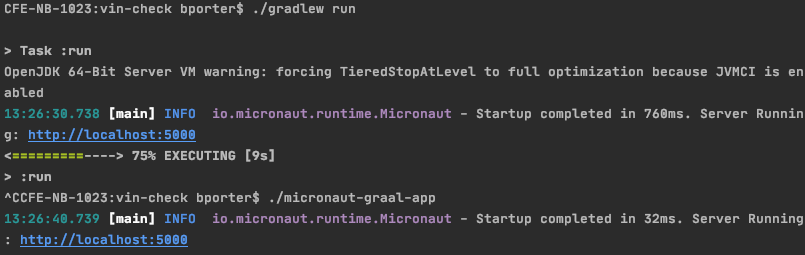
Then I compiled the executable with GraalVM and got it down to 32ms!!
CFE-NB-1023:vin-check bporter$ ./micronaut-graal-app
13:26:40.739 [main] INFO  io.micronaut.runtime.Micronaut -
Startup completed in 32ms. Server Running: http://localhost:5000
In order to achieve that, I followed the instructions on this page https://guides.micronaut.io/micronaut-creating-first-graal-app/guide/index.html which basically involved:
gu install native-image- Adding some options to my build.gradle:
compileOnly "org.graalvm.nativeimage:svm" annotationProcessor "io.micronaut:micronaut-graal" - Adding a
native-image.propertiesto myresources/META-INF/native-image/example.micronaut/complete-applicationdirectory - Assemble the distribution, and create the GraalVM executable:
./gradlew assemble native-image --verbose --no-server -cp build/libs/vin-check-0.1-all.jar - Run the image with
./micronaut-graal-app